
BMW Scan Tools by Chassis and Function: Which Tool Fits Your Model
Compare BMW scan tools organized by chassis generation and diagnostic function to match the right scanner to your model's OBD protocol and repair needs.
Introduction
Why the Tool Has to Match the Chassis
I've watched shops buy a scanner that claims BMW compatibility, then discover it reads the engine but skips the ZF transmission or the DSC module. The issue is protocol: older E-chassis cars speak D-CAN, F-series and newer speak ENET, and a tool that handles one does not automatically handle the other. When you're at the counter and a tech asks for a BMW scan tool, the first question is always the chassis code — E46, E90, F30, G20 — because that tells you which communication standard the car uses and which tools can talk to it.
A full-system scan walks every BMW control module, not just the engine. That means the DME, the transmission controller, ABS, airbag, instrument cluster, comfort modules, and every other ECU on the bus. Generic OBD-II tools pull powertrain codes, but they do not see the parking brake fault in the integrated chassis management or the fault memory in the footwell module. The tool has to speak BMW's proprietary protocols to reach those systems, and the protocol changes by generation.
Function Determines the Tool You Need
Not every job requires the same capability. If you're pulling codes and clearing fault memory, an entry-level BMW-specific scanner does that. If you need live data — oil temperature, fuel trims, throttle angle, boost pressure — the tool has to support parameter IDs for BMW modules, and the cheaper ones often do not. Coding and adaptation — enabling folding mirrors, changing service intervals, registering a new battery — require a tool that can write to the ECU, and most code readers are read-only.
The ANCEL BM700 PRO is a fit for BMW scanner that uses AUTO VIN to automatically detect your vehicle, load details, and run full-system scans in seconds. That kind of automatic detection works when the tool's database includes your chassis and year; if it does not, you're back to manual module selection and hoping the protocol matches. For independent shops working across multiple generations — an E39 5-series and a G30 in the same week — the tool has to cover the span, or you need two tools.
What Happens When the Tool Does Not Fit
Run a generic OBD-II scanner on a 2015 F30 335i and it pulls a P0300 misfire code. That tells you the engine is misfiring, but it does not tell you which cylinder, what the ignition dwell looks like, or whether the high-pressure fuel pump is dropping rail pressure. A BMW-specific tool shows you misfires by cylinder, live fuel pressure, and whether the Valvetronic motor is hitting its targets. The generic tool gives you a code; the BMW tool gives you the data you need to diagnose the cause.
Similarly, when a tool does not support the chassis, it either fails to connect or it connects but cannot read the modules. I have seen techs try to use an E-series tool on an F-series car — the car is on ENET, the tool speaks D-CAN, and nothing happens. The OBD port is the same shape, but the protocol is different, and the tool does not know what to do. That is why matching the tool to the chassis is not a preference; it is a requirement.
How to Use This Guide
This article organizes BMW scan tools by chassis generation and by diagnostic function. If you know your car's chassis code, you can skip to the section that covers it and see which tools handle that generation. If you know the job — code reading, live data, coding — you can filter by function and find tools that do what you need. The goal is to match the right scanner to your model's OBD protocol and repair needs, so you are not guessing at the counter or returning a tool that does not fit the car.
For more on BMW-specific service requirements, see BMW Coolant and Cooling Parts: What to Check Before Ordering.
The Importance of Choosing the Right BMW Scan Tool
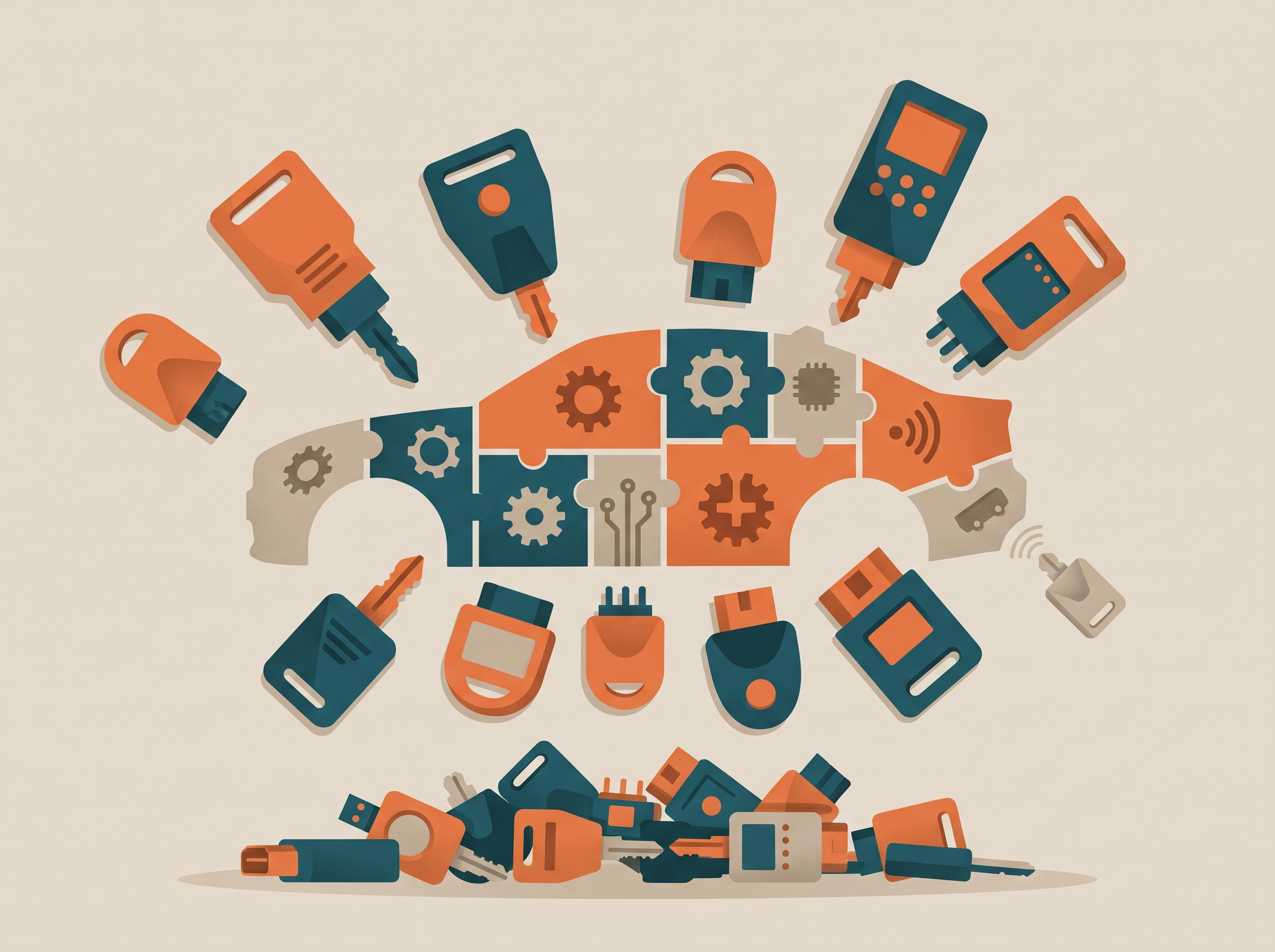
The wrong scan tool leaves you blind to half the car. I've watched shops buy a generic OBD2 reader, plug it into an E90, and wonder why they're not seeing the DSC fault that's putting the car in limp mode. The powertrain module talks, but the stability control, airbag, and steering modules stay silent. That's not a tool problem — it's a protocol problem, and it's the difference between a fifteen-minute diagnosis and a three-hour guessing game.
What Generic Tools Miss
Generic OBD2 scanners read powertrain codes because federal law requires a standard connector. Everything else — DSC, SRS, EPS, the transmission controller on later models — runs on BMW's proprietary bus, and a basic code reader doesn't speak it. You'll pull a P0171 lean code, but you won't see the intake-flap position fault in the engine module that's causing it. You'll see an ABS light, but the tool won't tell you which wheel-speed sensor dropped out or whether the pump motor is pulling too many amps.
The chassis determines the protocol. E46 and earlier cars use a different communication standard than E90 and later. F-series platforms added more modules and faster data rates. G-series cars require even newer software to access the gateway. A tool that works on your 2005 325i won't necessarily talk to a 2015 328i, and it definitely won't read the full module list on a 2020 330i. The bottle has to say it covers your chassis code, not just "BMW."
The Compatibility Problem
Most BMW owners face an overwhelming number of diagnostic tools on the market, and sorting compatible from incompatible takes more research than it should. A tool might claim full BMW coverage, but the fine print shows it stops at 2012 or skips certain modules. I've seen shops buy a scanner based on a forum post, then find out it won't code injectors or run the bleed procedure on the ABS pump — functions the dealer tool handles as standard.
For more details on BMW-specific service requirements, see BMW Coolant and Cooling Parts: What to Check Before Ordering.
The challenge isn't finding a tool; it's finding the one that matches your chassis, your module list, and the repairs you actually do. If you're only clearing codes, a basic scanner works. If you're coding a new steering-angle sensor or running an adaptation after a clutch replacement, you need bi-directional control and module-specific functions. The difference is in the spec sheet, not the marketing copy.
The cheapest scan tool is the one that reads the modules your car actually has, not the one that's on sale.
Steps to Select the Right BMW Scan Tool

I've watched shops buy a tool that claims BMW coverage, then find out it can't code a new key or run an active test on the VANOS solenoid. The scanner works, but only for basic fault codes — not the bi-directional functions the job actually requires. The right tool is the one that matches both your chassis range and the repair tasks you do most often.
Identify Your Chassis Range and Model Years
Start with the build date and chassis code. A tool that covers E90 3-series from 2006–2011 might not talk to the earlier E46 or the later F30 platform. The OBD protocol changed, the module addresses changed, and the coding procedures changed. Check the scanner's spec sheet for the exact model years it supports, not just the badge. If you service multiple generations, verify that the tool lists each one individually.
Some scanners cover vehicles from 1996 to 2026 and beyond, which gives you flexibility across older and newer platforms. But coverage alone doesn't tell you whether the tool can access every module or just the engine and transmission. Read the fine print.
Step 1
Match the tool to your chassis generation
Write down the chassis codes you work on most — E46, E90, F30, G20, whatever your customer base drives. Cross-check that list against the scanner's compatibility chart. If a chassis is missing, the tool won't connect, and you'll be stuck with a generic code reader that can't clear the CBS service reminder or bleed the ABS module.
Determine the Diagnostic Functions You Need
Reading and clearing fault codes is the baseline. If that's all you do, a basic OBD-II scanner works. But BMW repairs often require more: coding a new module, running actuator tests, bleeding brakes through the ABS pump, or resetting the service interval. Those tasks need a bi-directional tool.
Look for full-system diagnosis if you service anything beyond the powertrain. That means access to the airbag module, the body control module, the instrument cluster, and the HVAC system. A tool that only reads engine codes won't help you diagnose a parking sensor fault or a failed window regulator module.
Step 2
List the functions your jobs require
Go through your last ten BMW jobs and note what the scanner had to do: read codes, clear codes, run an output test, code a module, reset adaptations. If you're coding modules or running active tests regularly, you need bi-directional capability. If you're only pulling codes and checking freeze-frame data, a simpler tool will do.
Evaluate Software Updates and Manufacturer Support
BMW releases new models and updates existing ones every year. A scanner that worked perfectly on a 2015 328i might not recognize a 2024 M340i without a software update. Check whether the tool includes free updates, how often they're released, and how long the manufacturer supports the hardware. Some tools charge a subscription fee after the first year; others include lifetime updates.
I've seen shops buy a tool, use it for two years, then find out the update subscription costs more than a new scanner. Read the update policy before you buy, and factor that cost into your decision. If you're looking for more guidance on BMW-specific maintenance, see BMW Coolant and Cooling Parts: What to Check Before Ordering for related system checks.
Step 3
Verify the update policy and cost
Ask the manufacturer or the distributor how updates are delivered, how often new coverage is added, and what the renewal fee is. If the tool requires a subscription and you skip a year, check whether you lose access to updates permanently or can renew later. Some tools lock you out; others let you pay and catch up.
Check for Coverage of Specific Modules and Systems
Not all scanners access every module, even when they claim full-system coverage. The engine, transmission, ABS, and airbag modules are usually included. But the parking assist module, the electronic damper control, the active steering, and the head-up display might not be. If you work on higher-trim models or M cars, verify that the tool lists those systems explicitly.
The spec sheet should name the modules, not just say "full coverage." If it doesn't, ask. A tool that reads 40 modules on an F30 but only 12 on an E90 isn't giving you consistent capability across your fleet.
Step 4
Confirm module access for your typical jobs
Pull up the scanner's module list for the chassis you service most. Compare it to the systems you diagnose regularly. If the tool skips the adaptive headlight module and you replace those assemblies often, you'll need a different scanner or a second tool to supplement it.
Compare Price Against Long-Term Value
The cheapest scanner is the one you replace in six months because it can't do the job. The expensive one is the one that costs more than the labor you save. Find the middle: a tool that covers your chassis range, performs the functions you need, and includes updates for a reasonable period. Factor in the cost of subscriptions, the resale value if you upgrade later, and whether the tool works on other makes if your customer base shifts.
I've sold both entry-level and professional-grade tools at the counter. The right one depends on your volume and your repair mix. A shop that sees two BMWs a month can justify a basic scanner. A shop that does ten BMW jobs a week needs something faster and more capable, because the time saved on each job pays for the tool in a quarter.
Tips and Tricks for Using BMW Scan Tools
I've watched too many techs plug in a scanner and hit "read codes" without understanding what the tool is actually doing. The difference between a quick code pull and a proper diagnostic session is knowing how to make the tool work the way BMW's own system does.
Run a Full-System Scan First
A full-system scan walks every BMW control module, not just the engine. The transmission, ABS, airbag, comfort modules—they all log faults, and one stored code in the body controller can explain an intermittent no-start that looks like a fuel issue. Most generic OBD-II readers only see powertrain codes; a BMW-specific tool sees everything, and you need to use that capability every time.
Start every session with a full scan. Let the tool interrogate every module before you chase the one code the customer mentioned. I've seen a check-engine light that pointed to a cam sensor turn out to be a CAN-bus fault stored in the footwell module—something a single-system scan would never catch.
Use Auto-VIN Detection When the Tool Offers It
Some tools let you manually select the model and year; others read the VIN automatically and load the correct module map. Use the auto function when it's available. The ANCEL BM700 PRO is a fit for BMW scanner that uses AUTO VIN to automatically detect your vehicle, load details, and run full-system scans in seconds. Manual selection is fine when you know the exact chassis code, but auto-VIN prevents the mistake of scanning an E90 as an E46 because the body style looked similar.
If the tool can't read the VIN through OBD, check the port itself—corrosion or a bent pin will block communication before you even get to diagnostics. Clean the pins, verify power and ground at the port, then retry.
Log Live Data During the Fault Condition
Stored codes tell you what happened; live data tells you what's happening now. If the complaint is a rough idle that comes and goes, plug in the tool and let it log while you drive or let the car idle until the fault appears. Fuel trims, throttle position, coolant temp—capture the data stream when the symptom is active, not after it clears.
Set the scan tool to record at the highest sample rate it allows. A fault that lasts two seconds needs data points every tenth of a second to catch the spike. Most tools let you export the log to a laptop; do that and review it frame-by-frame if the fault is intermittent.
The code is the starting point, not the answer—live data during the fault is what shows you the failed component.
Update the Tool's Software Before a New Model Year
BMW releases software updates mid-year, and a tool that worked on a 2018 3-series might not fully communicate with a 2019 if the module firmware changed. Check for tool updates every few months, and always before you work on a model you haven't scanned before. The update usually takes ten minutes and a laptop; skipping it means you might miss half the modules or misread a code definition.
Some tools update over Wi-Fi; others need a USB connection to a PC. Either way, the manufacturer posts the update schedule on their site—bookmark it and check it the same day you rotate your own tires. For more on maintaining your diagnostic setup, see our guide on BMW Coolant and Cooling Parts: What to Check Before Ordering.
Don't Skip the Freeze-Frame Data
When a code sets, the tool captures a snapshot of every sensor value at that moment—engine RPM, vehicle speed, coolant temp, throttle position. That freeze-frame tells you the operating condition when the fault occurred. A misfire code at idle is a different problem than the same code at 4,000 RPM under load.
Read the freeze-frame before you clear the code. Write down the values or screenshot them. If the code comes back, compare the new freeze-frame to the old one—if the conditions match, the fault is repeatable and you're chasing a hard failure, not an intermittent glitch.
Conclusion
The right BMW scan tool is not a preference—it is a requirement. I have watched shops buy a tool that claims BMW coverage, then discover it cannot clear adaptive values on an N55 or read transmission codes on an F30. The wrong tool does not save money; it costs time at the counter, repeat visits, and customer trust. Match the tool to the chassis, verify the protocol coverage, and confirm it handles the systems you service most.
Every BMW model from E46 forward has specific diagnostic needs tied to its OBD protocol and module architecture. A tool that works on an E90 may not read the same depth of data on an F-series, and an entry-level scanner will not perform coding or adaptation on G-series cars. Know the build date of the car you are working on, cross-check the tool's compatibility list against that chassis, and make sure the software version supports the year range. The catalog might say "BMW compatible," but the factory specification is what matters.
In my years at the counter, I learned that the shops who succeed with BMW diagnostics are the ones who verify compatibility before they buy, not after. They check the tool's update policy, confirm it covers the modules they touch most—engine, transmission, ABS, airbag—and test it on a known-good car before they rely on it in the bay. If you are servicing multiple chassis generations, invest in a tool with broad protocol support and active software updates. If you specialize in one platform, a chassis-specific tool will give you deeper access at a lower cost.
The scan tool is the first step in every diagnostic job. Get it right, and the rest of the repair follows. Get it wrong, and you are guessing. For more guidance on maintaining BMW systems, see our article on BMW Coolant and Cooling Parts: What to Check Before Ordering. Choose the tool that matches your chassis, verify the approval, and run it.
Written by
Lee Shahin
Founder, European Wholesale Parts
Lee Shahin founded European Wholesale Parts in Pleasanton, California, after 18 years in the Mercedes-Benz and BMW parts trade. He came to the parts side from the shop floor: he opened a European repair shop in Northern California in the early 1990s, specialising in Mercedes-Benz and BMW, and grew it with his wife Laurie into a parts and delivery operation serving body shops and independent repair facilities across the region. Nearly two decades at the parts counter taught him where the expensive mistakes happen, and most of them are fluids: the wrong coolant in an aluminium block, an oil without the sheet approval the engine was designed for, a transmission topped with the wrong ATF. That is what he writes about here. Every article names the manufacturer specification by its exact designation, explains what the wrong fluid does mechanically, lists products that carry the approval, and gives the capacity and interval for the models and years the specification covers. When a reader needs a part sourced, the quote desk at European Wholesale Parts is where Lee and Laurie still answer the phone.