
OBDeleven vs VCDS: Which VAG Diagnostic Tool is Right for You?
Compare OBDeleven vs VCDS for VAG diagnostics. Learn the differences in connectivity, coding features, and cost to choose the right tool for your Volkswagen or Audi.
Introduction
I've spent years at the counter watching people buy the wrong diagnostic tool for their Volkswagen or Audi, then come back frustrated. The question is always the same: OBDeleven vs VCDS—which one actually does what I need? The answer depends on whether you're reading codes in a parking lot or logging timing data at your desk.
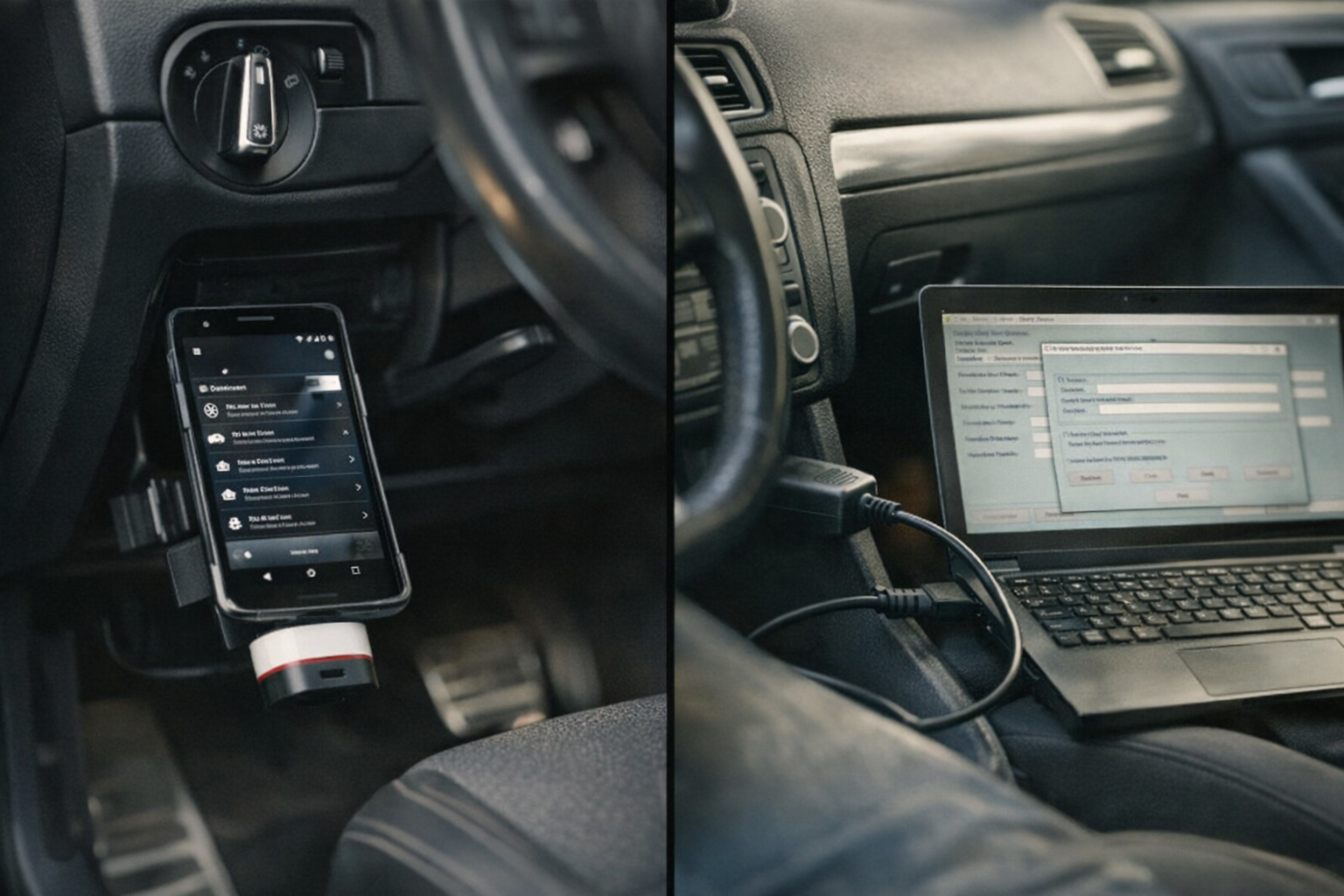
OBDeleven is a Bluetooth OBD2 adapter that pairs with a mobile app. You plug it into the port, open the app on your phone, and start reading fault codes or enabling features without a laptop. VCDS—the VAG-COM Diagnostic System from Ross-Tech—is a Windows-based platform that connects via USB and gives you the kind of access a dealership technician expects: live sensor graphs, adaptation channels, and module-level programming.
The practical difference shows up the first time you need to do more than clear a check-engine light. OBDeleven is fast and portable; VCDS is comprehensive and stationary. One fits in your glovebox, the other sits on a workbench. Both handle VAG vehicles exclusively—Mercedes, BMW, and Porsche owners need different tools, just like they need different coolant specifications and oil approvals.
This comparison walks through connectivity, feature depth, pricing structure, and the real-world tasks each tool handles best. By the end you'll know which platform matches the work you're actually doing, not the work you thought you'd be doing when you started shopping.
Explore OBDeleven vs VCDS to find out which VAG diagnostic platform fits your tasks better.
Overview of OBDeleven
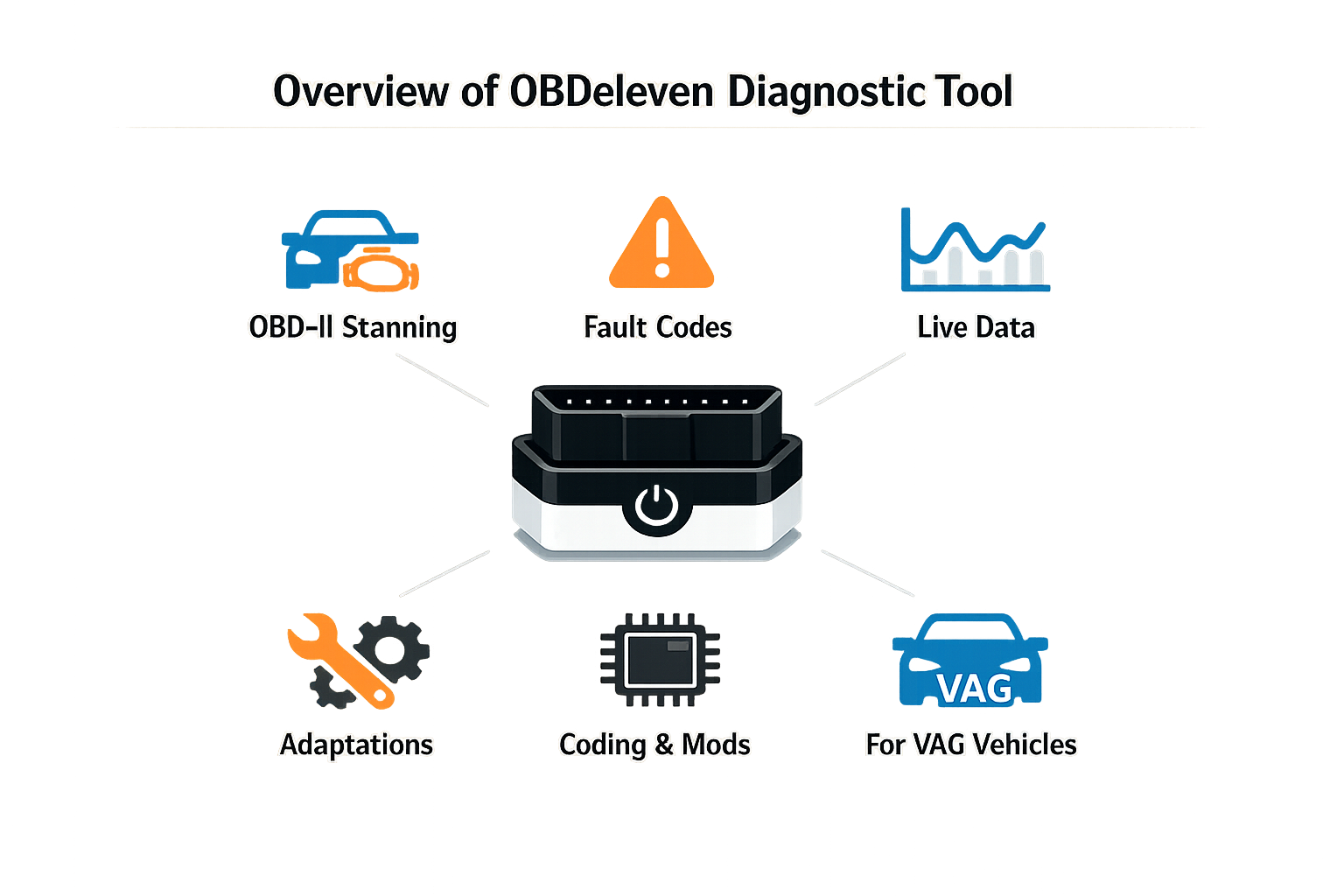
OBDeleven is a Bluetooth OBD2 adapter that connects to a mobile app, letting you run diagnostics and coding without a Windows PC. You plug the dongle into the OBD port under the dash, pair it with your phone, and the app walks you through the rest. I've watched customers at the counter choose OBDeleven when they want something that fits in a glovebox and works in the driveway without dragging a laptop out to the car.
The standout feature is the One-Click Apps library. These are pre-packaged coding routines that activate common features — needle sweep, auto-folding mirrors, coming-home lights — with a single tap. For a single-car owner who wants to enable a few comfort features without learning adaptation channels, the One-Click system removes most of the guesswork. The app handles the byte changes and you see the result immediately.
Freemium Model and Credit System
OBDeleven runs on a freemium structure. The basic app is free and gives you fault-code reading and live data. Advanced functions — long coding, adaptation values, output tests — require a Pro subscription. The One-Click Apps consume credits; you buy credit packs or subscribe to Pro for unlimited use. This pricing model works if you code occasionally, but it adds up if you're working through multiple cars or experimenting with different modules.
The app interface is clean and mobile-native. Navigation is touch-driven, modules are organized visually, and fault descriptions include plain-language summaries alongside the DTC hex. For someone who has never opened a diagnostic tool before, OBDeleven is approachable. The trade-off is that advanced users sometimes find the app's guardrails limiting when they want direct access to every byte in a control module.
Overview of VCDS
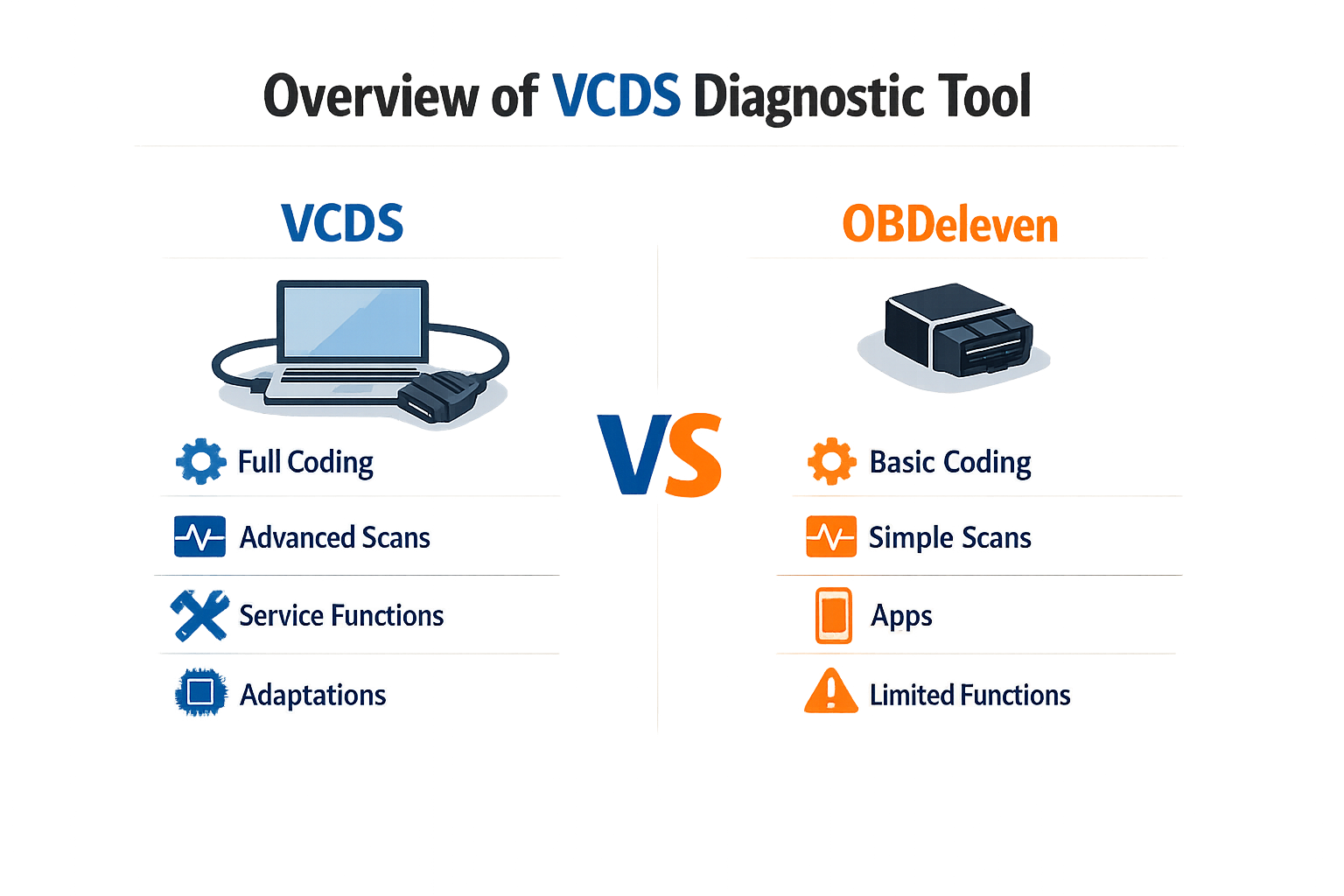
VCDS—VAG-COM Diagnostic System—is Ross-Tech's PC-based diagnostic platform for Volkswagen, Audi, SEAT and Škoda. It plugs into the OBD-II port with a hardware interface and runs on a Windows laptop. I've watched shops run VCDS for over a decade; it's the tool that reads everything the factory scanner reads, logs it, and lets you adapt modules the way the dealer does.
The system gives you full access to every control module in the car. You read and clear fault codes, watch live data, run output tests, perform coding and adaptations, and log up to twelve measuring blocks at once. The data exports to CSV so you can analyze it outside the car. That depth is why independent VAG specialists and serious enthusiasts choose it—it's not a consumer app, it's a professional diagnostic suite that happens to be available to anyone with a laptop.
What VCDS Does
VCDS reads official factory fault codes with the complete, detailed descriptions that match the dealer system. When a code sets, you see the full text, the freeze-frame data, and the conditions that triggered it. The live-data view streams parameters from any module in real time, and you can graph them or log them for later review. Output tests let you actuate components—open the EGR valve, cycle the fuel pump, test the ABS modulator—so you can confirm a part works before you condemn it.
Coding and adaptation functions let you enable or disable features at the module level. You can adjust the needle sweep, change the DRL behavior, or adapt a new throttle body. The system walks you through the procedure with on-screen instructions, and it logs what you changed so you can reverse it if needed. For serious diagnostics, the measuring-blocks function is the standout: you pick up to twelve live parameters, log them while you drive, and export the file to see exactly what the engine or transmission was doing when the fault occurred.
Hardware and Compatibility
VCDS requires a Ross-Tech interface cable—either the HEX-V2 for USB or the older HEX-NET for wireless—and a Windows PC or laptop. The software installs on your machine, and updates are free for the life of the hardware. The interface plugs into the OBD-II port and connects to the laptop via USB or Wi-Fi. You're tied to a computer; there's no phone app, no tablet version. That's the trade-off for the depth and stability the platform offers.
The tool covers all VAG platforms from 1996 forward, and Ross-Tech updates the software regularly to support new models and protocols. Older cars with the pre-2000 proprietary connectors need an adapter, but once you're plugged in, the system works the same way. If you're working on a 2015 Golf or a 2023 Q5, VCDS reads it.
Who Uses VCDS
Independent VAG shops use VCDS because it does what the dealer scanner does, at a fraction of the cost. Enthusiasts who maintain their own cars use it because it's a one-time purchase with lifetime updates, and it covers every module and function they'll ever need. If you're diagnosing an intermittent misfire, adapting a DSG clutch, or coding a new control module, VCDS is the tool that gets you there without guessing.
The learning curve is steeper than a phone app. You need to understand what a measuring block is, what adaptation channels do, and how to read a fault code's freeze-frame data. But once you learn the interface, you have access to the same diagnostic depth the dealer has—and you own the tool outright.
Feature Comparison: OBDeleven vs VCDS
I've watched people at the counter choose between these two platforms for years, and the decision always comes down to seven differences that matter: diagnostic workflow, coding control, ease of use, device requirements, advanced access, pricing structure, and who the tool is built for. The rest is marketing.
Diagnostic Workflow
VCDS runs a full system scan and presents fault codes in a desktop interface that shows every module at once. OBDeleven scans through a phone app and displays codes module by module. If you're clearing a single airbag code, both get you there. If you're chasing an electrical fault across CAN-bus modules, VCDS shows the whole picture on one screen; OBDeleven makes you tap through each controller. The workflow difference is real when you're diagnosing, not just reading.
Coding and Adaptation Control
VCDS gives you direct access to every adaptation channel and coding block the factory uses. You type the value, you apply it, and the car accepts it or throws a fault. OBDeleven offers one-click apps for common changes—needle sweep, DRL behavior, convenience settings—and a Pro mode that unlocks manual coding. The one-click apps work, but they're curated; if the change you want isn't in the library, you're back to manual mode, and at that point VCDS is faster because it never hid the channel in the first place.
Ease of Use
OBDeleven is easier to pick up. The app is clean, the one-click library is sorted by function, and you don't need to know what an adaptation channel is to enable hill-hold or change the mirror dip. VCDS assumes you know the module address, the channel number, and what the value does—there's no hand-holding. If you've never coded a VAG car before, OBDeleven gets you results faster. If you've done it a dozen times, VCDS is faster because you skip the app's explanations and go straight to the block.
Device Requirements
VCDS requires a Windows laptop and a wired OBD-II cable. OBDeleven is a Bluetooth dongle and a phone app—Android or iOS. The hardware difference changes where you can work: VCDS lives in the shop or the garage; OBDeleven fits in a glovebox. If you're coding a car in a parking lot, OBDeleven wins. If you're running a full diagnostic session with logs open, the laptop screen and the wired connection are the better setup.
Advanced Diagnostic Access
VCDS logs live data at higher sample rates, displays more parameters per screen, and records longer sessions. It's the tool you want when you're watching fuel trims under load or logging boost deviation across a pull. OBDeleven logs basic parameters and graphs them in the app, but the sample rate is lower and the parameter count is limited. For reading codes and clearing faults, the difference doesn't matter. For diagnosing a misfire or a boost leak, VCDS gives you the data you need to see what's happening.
| Feature | OBDeleven | VCDS |
|---|---|---|
| Interface | Phone app (iOS/Android) | Windows laptop |
| Connection | Bluetooth dongle | Wired OBD-II cable |
| Coding method | One-click apps + manual Pro mode | Direct adaptation channels |
| Live data logging | Basic parameters, lower sample rate | High sample rate, more parameters |
| SFD handling (2020–2023) | Smoother out of the box | Requires manual steps |
| Subscription model | Optional (additional features) | None—one-time license |
Pricing Structure
VCDS is a one-time license: you buy the cable, you own the software, and updates are free for that VIN or that cable tier. OBDeleven sells the dongle and offers a free tier with limited features, a Pro subscription for one-click apps and advanced coding, and an Ultimate tier for full access. The subscription model means OBDeleven's ongoing cost can exceed VCDS over three years, depending on how often you use the Pro features. VCDS costs more up front and nothing after that.
Pricing Comparison
I've sold both tools at the counter, and the first question is always the same: what does it cost upfront, and what am I paying every year after that? The answer shapes which tool you walk out with.
OBDeleven runs 79–85 EUR for the dongle itself — a one-time purchase that gets you basic scanning and fault-code reading. That price is accurate as of the manufacturer's current retail, and it covers the hardware. The catch is the Pro features: one-click apps, advanced coding, and live data beyond the basics all sit behind a subscription. You pay annually to keep those features unlocked. If you let the subscription lapse, the dongle still scans and clears codes, but the convenience layer disappears.
VCDS starts at 199 USD for the HEX-V2 interface, which supports up to three VINs. That is a higher upfront cost, but it is also a permanent license — no recurring fees, no expiration. You own the software outright. The three-VIN limit means you can use it on your own car, your partner's car, and one more; if you need more vehicles, you step up to the unlimited version at a higher price. Updates are free for the life of the product. The cable works, the software works, and you are done paying.
| Tool | Upfront Cost | Subscription | VIN Limit (Base) |
|---|---|---|---|
| OBDeleven | 79–85 EUR | Annual (Pro features) | Unlimited |
| VCDS | 199 USD (HEX-V2) | None | 3 VINs |
The math is simple: if you code once a year and only need fault codes the rest of the time, OBDeleven's base price wins. If you code frequently, run live data, or work on multiple cars, VCDS pays for itself in two years. I have watched customers do the calculation at the counter — the ones who hesitate on the subscription always choose VCDS, and the ones who want Bluetooth and a phone app take OBDeleven and accept the annual charge.
Pros and Cons of Each Tool
I've watched customers at the counter weigh these two platforms for years, and the decision always comes down to what you're willing to trade. OBDeleven gives you speed and simplicity; VCDS gives you depth and control. Neither is better in every case — the right one depends on whether you value convenience or completeness.
OBDeleven Advantages
OBDeleven's biggest strength is accessibility. The app-driven interface puts one-click coding adaptations in your hand without needing to understand the underlying control module structure. You tap a feature, it applies the change, and you move on. For the modern DIYer who values a sleek, app-driven experience with one-click coding adaptations, OBDeleven is incredibly powerful and accessible. The wireless Bluetooth dongle eliminates the laptop requirement, and the freemium model lets you try basic diagnostics before committing to the Pro subscription or buying credits for advanced functions.
The credit system itself is a double-edged feature. It spreads the cost over time — you pay only for the One-Click Apps you actually use — but it also means recurring expenses if you code frequently. The Pro subscription unlocks advanced diagnostics and live data, but it's an annual fee on top of the hardware cost.
OBDeleven Disadvantages
The convenience comes at the expense of transparency. OBDeleven abstracts the raw data behind the app interface, so you don't see the actual long-coding strings or adaptation channel values the way VCDS shows them. If a one-click feature doesn't exist for your specific change, you're limited. The credit system also means you can't predict total cost upfront — heavy users rack up credit purchases quickly, and the annual Pro subscription is mandatory for serious diagnostics.
Wireless connectivity is faster to set up, but it introduces a dependency on your phone's Bluetooth stack and battery. If the app crashes or the connection drops mid-coding, you're troubleshooting two devices instead of one.
VCDS Advantages
VCDS gives you manufacturer-level visibility into every control module, every fault code, every adaptation channel, and every measuring block. For the purist, the professional, or anyone who wants to understand the raw data and have complete, manufacturer-level control, VCDS remains the undisputed gold standard. You see the actual long-coding binary strings, you can log live data at high sample rates, and you have access to functions OBDeleven doesn't expose. The one-time purchase model means no subscriptions, no credits, no recurring fees — you own the tool outright.
The wired USB connection is rock-solid. It doesn't depend on Bluetooth pairing, it doesn't drain your phone, and it doesn't drop mid-session. For extended diagnostics or coding work, that stability matters.
VCDS Disadvantages
The learning curve is steep. VCDS assumes you understand VAG control module architecture, fault code taxonomy, and the difference between an adaptation channel and a long-coding bit. The interface is text-heavy, the menus are deep, and there are no one-click shortcuts. You have to know what you're looking for, or you spend time reading forum threads to find the right channel number.
You also need a Windows laptop at the car. That's not a disadvantage if you already work that way, but it's a barrier if you don't own a laptop or prefer mobile-only workflows. The upfront cost is higher — VCDS is a single purchase, but it's several times the price of the OBDeleven dongle alone.
| Tool | Biggest Pro | Biggest Con |
|---|---|---|
| OBDeleven | App-driven, one-click coding | Recurring costs, limited transparency |
| VCDS | Complete data access, one-time cost | Steep learning curve, requires laptop |
Who Should Choose Which Tool?
I've watched this choice play out at the counter for years, and the question is always the same: am I scanning once or setting up shop? The answer determines which tool you buy.
OBDeleven makes sense when you own one VAG car, you want to run a scan from the driveway, and you're comfortable working from a phone. The mobile-first setup drops the barrier — plug in, open the app, read the codes. You're not hauling a laptop to the garage, and you're not learning Windows software. For routine scans or supported one-click coding (needle sweep, DRL activation, that category), the phone workflow is faster. If your goal is to check a fault, clear it, and move on, OBDeleven does that without ceremony.
VCDS is the choice when you're diagnosing more than you're driving. If you run a small independent shop, if you're the go-to for three friends' Audis, or if you're chasing an intermittent that requires logging blocks across a twenty-minute drive, you need the computer setup. VCDS lets you log continuously, compare live data side-by-side, and access every measuring block the ECU publishes. The laptop gives you screen real estate and the software gives you depth — you're not limited to what fits in a mobile interface. For longer sessions and unsupported modifications, VCDS doesn't leave you waiting on app updates.
The other variable is cost tolerance. OBDeleven's hardware is cheaper up front, but the Pro subscription adds up if you keep the car past two years. VCDS costs more at purchase and nothing after — the license doesn't expire. Run the math on your ownership timeline: if you're keeping the car long-term, VCDS is the lower total. If you're leasing or flipping in three years, OBDeleven's lower entry cost makes sense.
Neither tool is better in the abstract. OBDeleven wins on convenience and initial price. VCDS wins on capability and long-term cost. Pick the one that matches how often you plug in and how deep you need to go.
Final Verdict
OBDeleven vs VCDS comes down to what you're actually doing under the hood. I've watched shops make the wrong call on this—buy VCDS for a DIY customer who just wants to turn off the seatbelt chime, or hand an OBDeleven to a tech who needs live data streams on a no-start. The tool has to match the task, not the other way around.
VCDS wins when you need full diagnostic control. The software gives you every adaptation channel, every measuring block, and every coding string the factory uses. It runs on a laptop, the interface is dense, and the learning curve is real—but once you know it, you can do anything the dealer can do. The HEX-V2 Enthusiast license costs more up front, but the software updates are free for life. If you're diagnosing faults, logging live data, or coding modules that OBDeleven doesn't surface, VCDS is the only tool that gets you there.
OBDeleven is the right call when convenience and speed matter more than depth. The app is clean, the one-click apps handle the common tweaks, and you don't need a laptop in the car. It's Bluetooth, it fits in a glovebox, and for enabling needle sweep or changing the DRL behavior, it's faster than VCDS. The credit system is a trade-off—you pay less to start, but advanced features cost credits, and over time that adds up. If you're coding a few known changes and you want it done in five minutes, OBDeleven does that better than anything else.
For a home user who wants to enable a handful of features and move on, OBDeleven is the practical choice. For a tech, a shop, or anyone who needs to pull fault codes, log parameters, and adapt modules the app doesn't list, VCDS is the tool that doesn't leave you stuck. The difference isn't which one is better—it's which one does what you need without forcing you to work around it.
Written by
Lee Shahin
Founder, European Wholesale Parts
Lee Shahin founded European Wholesale Parts in Pleasanton, California, after 18 years in the Mercedes-Benz and BMW parts trade. He came to the parts side from the shop floor: he opened a European repair shop in Northern California in the early 1990s, specialising in Mercedes-Benz and BMW, and grew it with his wife Laurie into a parts and delivery operation serving body shops and independent repair facilities across the region. Nearly two decades at the parts counter taught him where the expensive mistakes happen, and most of them are fluids: the wrong coolant in an aluminium block, an oil without the sheet approval the engine was designed for, a transmission topped with the wrong ATF. That is what he writes about here. Every article names the manufacturer specification by its exact designation, explains what the wrong fluid does mechanically, lists products that carry the approval, and gives the capacity and interval for the models and years the specification covers. When a reader needs a part sourced, the quote desk at European Wholesale Parts is where Lee and Laurie still answer the phone.