
European Car Diagnostic Tools: Choosing by Vehicle and Task
Learn how to select european car diagnostic tools matched to your specific vehicle make, model, and repair tasks for accurate diagnostics.
Introduction to European Car Diagnostic Tools
I've watched shops spend thousands on scan tools that can't clear a simple airbag fault in a 2015 A4. The tool reads the code, but it can't talk back to the module to reset it. That's the difference between a generic scanner and one that knows the car. European makes—Mercedes, BMW, Audi, VW, Porsche, Volvo—require diagnostic equipment that speaks their protocols and can access manufacturer-specific functions. Without the right tool matched to the vehicle and the task, you're reading codes but not fixing cars.
Modern vehicles communicate through dozens of control units managing everything from engine timing to seat memory. A good diagnostic tool is essential for efficient vehicle maintenance, and the wrong one leaves you guessing. An accurate diagnosis is what separates a lasting repair from an expensive guess. For European platforms, that means choosing a tool by make, model year, and the specific systems you need to service—not by price or brand hype.
This guide walks through what defines a European car diagnostic tool, why the choice matters, and how to select one based on the vehicles you service and the repairs you do. We cover the functional differences between tool types, the mistakes that cost time at the counter, and the questions to ask before you buy. If you work on Mercedes-Benz engine oil specifications or BMW coolant systems, you already know that the spec on the bottle matters—the same principle applies to the tool in your hand.
Explore the best european car diagnostic tools tailored for your vehicle and service tasks.
What are European Car Diagnostic Tools?
A diagnostic tool for a European car is a scanner that reads the fault codes and live data from the vehicle's control modules. Mercedes, BMW, Audi, VW, Porsche and Volvo all use proprietary communication protocols—the tool has to speak the language the car uses, or it sees nothing. A generic OBD-II scanner reads powertrain codes on any car sold in North America after 1996, but European makes bury their real diagnostics in manufacturer-specific systems: ABS, airbag, transmission, body control, instrument cluster and the dozens of other modules that a $15 code reader never touches.
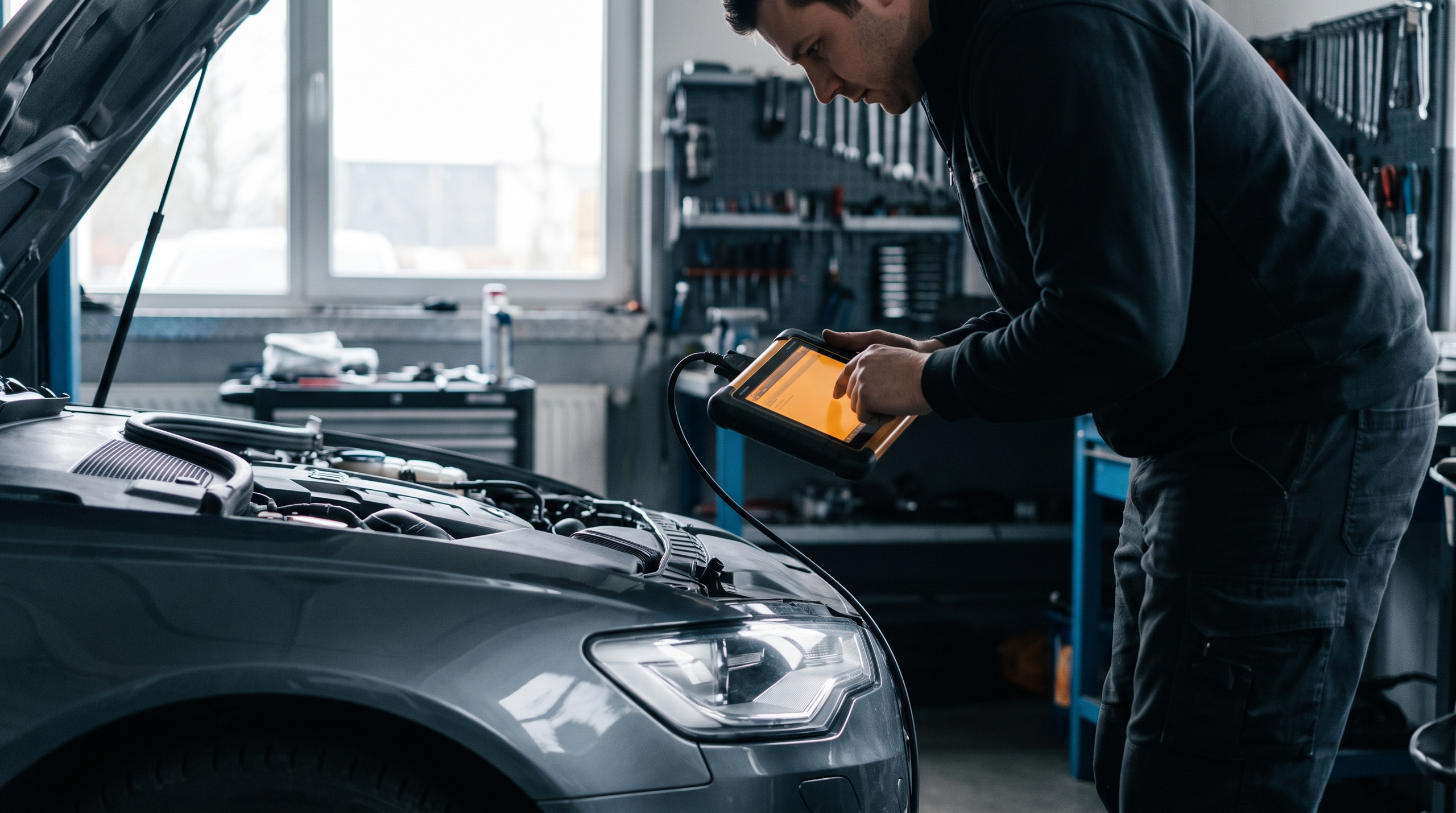
I've watched techs waste hours chasing a check-engine light when the fault was in a module the scanner couldn't see. The right tool pulls codes from every module, displays live sensor data in real units and, on higher-end platforms, runs actuator tests and module resets. A professional diagnostic scan checks your engine, transmission, ABS, electrical modules, sensors and more for fault codes and live data—it doesn't guess, it reads what the car is reporting.
What Makes a Tool European-Specific
European manufacturers use different CAN-bus structures and proprietary coding schemes. A BMW uses the K-line and D-CAN protocols; a Mercedes after 2004 uses CAN-C and CAN-B; VW and Audi use UDS on CAN. The tool's software must decode these streams and present them in a form a technician can act on. Some tools are single-make—they do BMW and nothing else. Others are multi-make but require separate software licenses for each brand. The hardware is the interface; the software is what costs money and determines whether you see live fuel trims or a blank screen.
Levels of Diagnostic Capability
Entry-level tools read and clear codes. Mid-range tools add live data graphing, freeze-frame capture and basic bi-directional controls—opening an EGR valve, cycling an ABS pump. Factory-level tools (dealer scan tools and their aftermarket equivalents) perform module coding, key programming, injector adaptation and every other function the factory service department runs. The higher you go, the more the tool costs and the more training it demands. A $200 scanner that reads ABS codes is not the same as a $4,000 platform that reprograms a steering-angle sensor after a wheel alignment.
Why European Car Diagnostic Tools Matter
I've watched shops pull codes with a generic scanner, then spend hours chasing the wrong part because the tool couldn't read the manufacturer-specific fault memory. European makes — Mercedes-Benz, BMW, Audi, VW, Porsche, Volvo — embed fault codes and adaptation values in modules a universal OBD-II reader never sees. You get a check-engine light, the generic tool reads P0420, and you replace a cat. The real fault was a pre-cat oxygen sensor heater circuit stored in the engine control module's extended memory, visible only to a tool that speaks that module's protocol. The cat was fine. The wrong diagnostic tool cost you the part, the labor, and the comeback.
What Happens When the Tool Can't See the Module
European platforms distribute control across dozens of modules: engine, transmission, ABS, airbag, comfort, gateway. Each module logs faults in its own memory and many faults never trip the OBD-II malfunction indicator. A BMW with a failing transfer-case actuator motor logs the fault in the transfer-case module; the dash shows a drivetrain warning, but a basic code reader sees nothing. Without access to that module, you're guessing. The correct diagnostic tool reads the module directly, pulls the fault, and shows you the live data — motor current, position sensor voltage, adaptation counter — so you know whether the actuator is mechanical or electrical before you order the part.
Coding, Adaptation, and Service Resets
Diagnostic work on European cars isn't only pulling codes. You code new modules to the VIN, adapt a throttle body after cleaning, reset service intervals, bleed ABS with the scan tool commanding the pump. The factory procedures assume you have a tool that can send these commands. I've seen techs install a new steering-angle sensor on a Mercedes and drive away without calibration because their scanner didn't offer the function. The ESP light comes on two miles later and the customer is back. The part was right, the installation was right, but the module wasn't told the sensor was new. An accurate diagnosis is what separates a lasting repair from an expensive guess, and the tool is half of that accuracy.
The Cost of the Wrong Tool
The cheap universal scanner saves money until it doesn't. You spend an afternoon replacing a mass-airflow sensor on a VW because the tool showed a MAF code, but the real fault was a boost-pressure deviation the tool couldn't see. The MAF was reading correctly; the turbo wastegate actuator was sticking and the ECU logged it as a MAF implausibility. You've now bought a sensor you didn't need, and you still have the original fault. The right tool would have shown you the wastegate position, the boost target versus actual, and the adaptation values. It would have pointed you to the actuator in five minutes. The wrong tool pointed you nowhere, and you paid for it twice.
How to Choose the Right Diagnostic Tool by Vehicle and Task
The scanner has to match the car. I've watched shops buy a generic OBD-II tool, plug it into a 2015 E-Class, and get three codes when the car is storing twelve. Mercedes, BMW, Audi, VW, Porsche and Volvo all use manufacturer-specific protocols that a basic code reader cannot reach. The question is not whether you need a tool — it is which one reads the modules your car actually has.
Match the Tool to the Manufacturer
Each European make uses its own diagnostic language. Mercedes runs CAN and UDS; BMW uses EDIABAS and later ISTA protocols; VW and Audi communicate through VAG-COM and ODX standards; Porsche relies on PIWIS; Volvo older than SPA uses VIDA, and SPA platforms need VIDA All-in-One. A scanner built for one will not speak to the others. When you are choosing a tool, start with the badge on the grille, then confirm the model year and platform — the same brand can run different protocols a generation apart.
Identify the Task Before You Buy
Reading a check-engine light is one job; coding a new module is another. If you are diagnosing a fault, you need live data from the module that set the code — not just the code itself. If you are performing a service reset, the tool must support bidirectional commands for that module. If you are coding or programming, the tool must authenticate with the manufacturer's server and write to flash memory. The task defines the capability, and the capability defines the price.
For routine diagnostics — reading codes, clearing codes, checking freeze-frame data — a mid-tier scanner with OEM protocol support is enough. For service functions like brake bleeding, throttle adaptation, or DPF regeneration, you need bidirectional control. For coding and programming, you need a factory-level interface or a licensed third-party platform. Do not buy coding capability if all you do is read faults; do not buy a code reader if you need to bleed ABS modules.
Check Module Coverage for Your Specific Model
The tool's marketing says it works on your car; the fine print says which modules it actually reaches. A 2018 S-Class has over seventy control units. A scanner that reads engine, transmission, ABS and airbag covers four. If you are diagnosing a Parktronic fault, a comfort-system glitch, or a gateway communication error, you need a tool that lists those modules by name for your model year.
Before you buy, confirm the tool covers the modules you work on most. Engine and transmission are standard; body control, instrument cluster, HVAC, and gateway are not. If the tool's compatibility chart does not list the module, assume it cannot read it. When the chart says "partial coverage," call and ask which functions are missing — partial usually means read-only, no coding, no adaptations.
Step 1
Confirm the platform and model year
European makes change platforms every few years, and the diagnostic protocol changes with them. A tool that works on a W204 C-Class will not necessarily work on a W205. Write down your VIN, look up the platform code, and cross-reference it with the tool's coverage list before you order.
Step 2
List the modules you need to reach
Make a short list of the control units you diagnose most often. Engine, transmission, ABS and airbag are common; parking assist, adaptive cruise, air suspension and gateway are less so. Match the list to the tool's module chart. If a module you need is not on the chart, the tool cannot read it.
Step 3
Verify the task capability
Reading codes is baseline. If you need to activate components, run output tests, or perform service resets, confirm the tool supports bidirectional commands for your make. If you need to code or program, confirm it authenticates with the OEM server and that you can pay for the subscription or token access.
Understand Subscription and Update Models
Most manufacturer-level tools require a subscription. The subscription pays for software updates, protocol changes, and access to the OEM's coding database. Some tools charge annually; some charge per use; some charge per vehicle or per function. The up-front price is only part of the cost — add three years of updates and see what the tool actually costs before you decide.
Free updates sound good until the manufacturer releases a new platform and the free updates stop. When the tool cannot read a 2023 model because the last update was 2021, you are buying again. Pay attention to the update policy: how long updates are included, how much they cost after that, and whether the tool works offline once the subscription ends. A tool that bricks without a subscription is a rental, not a purchase.
Consider Portability and Interface
A laptop-based system gives you a big screen and a full keyboard; a tablet-based tool is faster to set up; a handheld unit fits in a toolbox. The form factor matters when you are working in a bay with no bench space or when you are diagnosing a car on a lift. The interface matters when you are three menus deep trying to find the DPF regeneration command and the screen is the size of a phone.
If you work alone, a handheld is fine. If you are training someone or if you need to document live data, a laptop or tablet makes the job easier. If you move between shops or work mobile, portability wins. If the tool lives in one bay, screen size and speed win. There is no universal right answer — match the form to the way you actually work.
Cross-Reference with Fluid and Parts Specifications
Diagnostics and service go together. When the scanner tells you to perform an ATF service or a coolant flush, you need to know the spec the car requires. A tool that reads the fault but does not tell you the Mercedes-Benz engine oil approval or the G12 vs G13 coolant requirement leaves you halfway done. Some tools display service specs and capacities; most do not. Keep the owner's manual, the workshop manual, or a spec sheet at the counter so you can finish the job the scanner started.
The scanner finds the fault; the spec sheet tells you what to put back in. You need both.
Best Practices for Using Diagnostic Tools
I've watched technicians waste hours chasing codes when the real problem was in how they used the scanner, not what the scanner found. Factory-level diagnostic equipment gives you live data — the actual voltage at a sensor, the commanded position of a valve, the fuel trim the ECU is calculating right now. Run the tool correctly and you trace the cause; skip the steps and you replace parts until something sticks.
Verify the Connection Before You Scan
Plug the scanner into the OBD-II port and turn the ignition on — engine off. Wait for the handshake. If the tool doesn't see the car in fifteen seconds, check the port pins and the vehicle battery voltage. A weak battery gives you incomplete module lists and phantom codes. I've seen techs pull a transmission code on a BMW when the real fault was 11.8 volts at the battery.
Read Live Data, Not Just Fault Codes
A stored code tells you a system flagged a fault. Live data tells you what the system is doing right now. When a Volkswagen throws a P0101 for MAF sensor range, pull up the MAF grams-per-second reading at idle and compare it to the spec for that engine code. If the reading is in range, the fault is old or intermittent; if it's out, you've confirmed the sensor. The code alone doesn't confirm anything.
Follow the Manufacturer's Diagnostic Sequence
Mercedes, BMW, Audi — they all publish guided diagnostics in their service systems. The sequence starts with the most common cause and works through the circuit. When you skip steps, you miss the simple fix. A P0171 lean code on a C-Class might be a $12 vacuum line or a $400 MAF sensor; the guided test checks intake leaks first because that's what fails most often. The scanner can run the same sequence if it has factory-level access.
Clear Codes Only After the Repair
Don't clear a fault code to see if it comes back unless you've fixed something. The code set for a reason, and erasing it before you repair the cause just resets the monitor. When the fault returns — and it will — you've lost the freeze-frame data that told you the conditions when it happened. Repair first, clear second, drive the car through a full monitor cycle, then scan again to confirm.
Live data confirms the code; the code doesn't confirm the part.
Document What You Find
Write down the fault codes, the freeze-frame data, and the live readings before you start. When you finish the repair, scan again and compare. If the fuel trim was +18% before and +2% after, you've verified the fix. If it's still +18%, you fixed the wrong thing. The scanner gives you the numbers; you have to record them to know whether the repair worked.
Know When to Use Bi-Directional Controls
Bi-directional commands let you activate a component — cycle a solenoid, run a fuel pump, open an EGR valve — to test whether it responds. Use this when live data shows a component isn't moving but you need to know if it's the component or the command. On a Porsche with a stuck thermostat, command the thermostat open and watch the coolant temperature; if it drops, the thermostat works and the fault is upstream. If it doesn't move, replace the thermostat.
Don't use bi-directional controls on a system you don't understand. Commanding a DSG clutch pack or an air suspension valve without knowing the sequence can damage the component. If the scanner offers the function, the manual explains the procedure — read it first.
Common Mistakes When Using Diagnostic Tools
I've watched techs run a $5,000 scan tool on a BMW and still chase the wrong code because they skipped the basics. The tool only reads what the car sends; if you don't know what the code means for that chassis, you're guessing. The most expensive mistake is trusting the scanner more than the service data.
Running Generic Code Readers on Module-Specific Faults
A basic OBD-II reader pulls powertrain codes. It won't see ABS, SRS, or comfort-system faults. On a Mercedes W211, the airmatic suspension throws codes the generic tool never sees. You clear the engine light, send the car out, and the customer comes back with the same complaint because the real fault is in a module you didn't scan. Use a tool that reads every control unit the car has, or you're only seeing part of the picture.
Clearing Codes Without Recording Freeze-Frame Data
Freeze-frame captures the operating conditions when the code set: RPM, load, coolant temp, fuel trim. Clear the code first and that data is gone. I've seen techs erase a P0171 lean code on an Audi, then spend two days hunting a vacuum leak they could have pinpointed in ten minutes if they'd checked the freeze-frame fuel pressure and MAF reading before they hit "clear."
Ignoring Software Version and Coding Requirements
European cars tie part numbers to software. Replace a BMW DME and the tool has to code it to the VIN and program the current flash. Skip that step and the car won't start, or it runs in limp mode. The same goes for modules: a new steering-angle sensor on a VW needs calibration through the scan tool. The part is correct, but the car doesn't recognize it until you run the adaptation. The diagnostic tool isn't just for reading codes; it's for finishing the repair.
Using Outdated Software on Newer Platforms
Manufacturers update protocols. A 2015 scan-tool license won't correctly read a 2023 model's expanded CAN architecture. You'll see "communication error" on half the modules, or the tool shows codes it can't define. Update the software annually at minimum, and check coverage before you buy a subscription. I've had customers bring cars from other shops where the tech couldn't pull codes because his tool was three years out of date.
An accurate diagnosis is what separates a lasting repair from an expensive guess.
Skipping Bi-Directional Tests and Actuator Checks
Reading codes tells you what failed; actuating components tells you why. A P0401 EGR code on a Volvo could be a stuck valve, a clogged passage, or a bad solenoid. Use the scan tool to command the EGR open and watch the MAP sensor response. If the valve doesn't move, you've isolated the mechanical fault in seconds. Techs who only read codes end up replacing parts that test fine on the bench.
Misinterpreting Pending and History Codes
A pending code means the monitor saw a fault once but hasn't confirmed it. A history code is old, already fixed, and stored. Treat a pending P0300 misfire on a cold start as a watch item, not a failed coil pack. Treat a history code from two oil changes ago as noise. I've seen shops replace oxygen sensors for history codes that never set a current fault, then charge the customer for a repair the car didn't need.
Frequently asked questions
Can I use a generic OBD-II scanner on a European car?
You can pull basic powertrain codes with a generic OBD-II scanner, but that is where it stops. The generic tool reads P-codes from the ECU and nothing else. European cars run dozens of control modules — ABS, airbag, transmission, body controller, adaptive dampers, steering angle sensor — and the generic scanner cannot see them. It also cannot read manufacturer-specific codes, perform adaptations, or run actuator tests. If you need to bleed ABS, code a new key, or adapt a throttle body, the generic tool is useless.
Do I need factory software or will an aftermarket tool work?
It depends on the job. Aftermarket tools like Autel, Launch, and TOPDON cover most diagnostics, live data, and basic coding on Mercedes, BMW, Audi, VW, Porsche, and Volvo. They work for brake bleeds, DPF regens, injector coding, and reading fault codes across all modules. Factory software — ISTA for BMW, ODIS for VW/Audi, Xentry for Mercedes — is required for deeper work: programming new control modules, updating firmware, enabling factory options, and performing guided tests that the manufacturer does not publish. If you are doing general repair and maintenance, an aftermarket tool handles it. If you are flashing a transmission controller or enabling a feature that was never turned on, you need the factory system.
What is the difference between a code reader and a diagnostic scanner?
A code reader pulls fault codes and displays the code number and description. That is all it does. A diagnostic scanner reads codes, displays live data, runs actuator tests, performs adaptations, and executes service functions like brake bleeds and DPF regens. The code reader tells you a fault is present; the scanner lets you watch the sensor in real time, command the component, and verify the repair. For European cars, you need the scanner.
Can one tool cover multiple European makes?
Yes, but check the coverage list before you buy. Multi-make tools like Autel MaxiCOM, Launch X-431, and TOPDON ArtiDiag support Mercedes, BMW, Audi, VW, Porsche, and Volvo in one device. The tool must list the specific make, and the software version determines how deep the coverage goes. Older models and newer platforms sometimes require a software update. I have watched techs buy a tool assuming it covers everything, then find out it reads codes but cannot perform the service function they actually need. Verify the exact year, model, and function before you spend the money.
How often do diagnostic tools need software updates?
Every year, minimum. Manufacturers release new models, update control module software, and change communication protocols. The diagnostic tool needs matching updates to read the new codes, access the new modules, and perform the new procedures. Most aftermarket tools sell updates by subscription — one year, two years, or lifetime. If you skip the update, the tool still works on older cars, but it cannot communicate with anything newer than the last update date. Factory software updates constantly; ISTA and ODIS push updates every few months.
What should I do if my diagnostic tool cannot communicate with the car?
Check three things in order. First, verify the OBD-II port has power — plug in a known-good tool or check for 12 volts on pin 16. Second, confirm the ignition is on; most European cars require key-on for module communication. Third, check for a blown fuse in the OBD circuit — the port shares a fuse with other systems and a short elsewhere can kill communication. If all three check out and the tool still will not connect, the issue is either a failed gateway module in the car or a tool that does not support that specific model year. I have seen both. Try a different tool before you replace the gateway.
Are wireless diagnostic tools as reliable as wired ones?
Wired tools are faster and more stable. Wireless adapters — Bluetooth and Wi-Fi — work for reading codes and watching live data, but they drop connection during long procedures like coding or flashing. The dropout interrupts the process and can brick the module. For quick diagnostics, wireless is fine. For anything that writes to the car — adaptations, coding, firmware updates — use a wired connection. The risk is not worth the convenience.
Can I use a diagnostic tool to reset service lights?
Yes, and that is one of the basic functions every multi-make tool supports. Oil service, brake pad, and inspection reminders reset through the tool in seconds. Some cars also require a reset after replacing wear items like brake rotors or air filters. The tool accesses the service menu, selects the item, and clears the counter. Do not reset the light without actually performing the service — the car tracks mileage and time, and skipping the service while clearing the reminder just moves the problem down the road.
Conclusion
I've watched shops waste weeks chasing fault codes with the wrong scanner — the tool reads the module, but it doesn't speak the protocol the car actually uses, so the data comes back scrambled or incomplete. The right diagnostic tool for a European car is the one that matches your vehicle's make, the modules you need to reach, and the tasks you perform most often. A generic OBD-II reader pulls powertrain codes from any car built after 1996, but it won't show you ABS live data on a 2015 3-series or let you bleed the brakes electronically on an A6. Those jobs require manufacturer-level access, and the scanner has to support the specific communication protocol — CAN for newer BMWs, UDS for late-model VWs and Audis, DoIP for anything after 2017.
The three tiers — basic code readers, mid-range bidirectional scanners, and factory or factory-equivalent systems — each solve different problems. If you only clear check-engine lights and read freeze-frame data, a $100 reader does the job. If you service multiple European makes and need to run actuator tests, program modules, or perform guided procedures like DPF regeneration, a mid-range tool with annual updates justifies the cost. If you specialize in one make and handle everything from coding to calibration, a factory system or high-end third-party platform becomes the baseline — it's not a luxury, it's the tool the job requires. The mistake is buying capability you'll never use or, worse, buying too little and discovering mid-job that the scanner can't reach the module you need.
An accurate diagnosis is what separates a lasting repair from an expensive guess. The scanner is the first step, but it's only as good as the person reading the data and the protocol coverage the manufacturer built into the software. Match the tool to the vehicle, the task, and the modules you touch most often, and you'll spend less time troubleshooting the scanner and more time fixing the car. For related European service specifications, see our guide on Mercedes-Benz Engine Oil: MB 229.5, 229.51, and 229.52 Approvals.
Written by
Lee Shahin
Founder, European Wholesale Parts
Lee Shahin founded European Wholesale Parts in Pleasanton, California, after 18 years in the Mercedes-Benz and BMW parts trade. He came to the parts side from the shop floor: he opened a European repair shop in Northern California in the early 1990s, specialising in Mercedes-Benz and BMW, and grew it with his wife Laurie into a parts and delivery operation serving body shops and independent repair facilities across the region. Nearly two decades at the parts counter taught him where the expensive mistakes happen, and most of them are fluids: the wrong coolant in an aluminium block, an oil without the sheet approval the engine was designed for, a transmission topped with the wrong ATF. That is what he writes about here. Every article names the manufacturer specification by its exact designation, explains what the wrong fluid does mechanically, lists products that carry the approval, and gives the capacity and interval for the models and years the specification covers. When a reader needs a part sourced, the quote desk at European Wholesale Parts is where Lee and Laurie still answer the phone.